2026 Reviews | Finding the Best Monitor for Video Editing
You’ve dropped a fortune on a mirrorless camera and glass that could cut diamonds. You’ve memorized every shortcut in DaVinci Resolve. But if you’re still grading on a dull, off-color screen from 2015? You’re not editing—you’re guessing.
In 2026, your monitor isn’t just a peripheral; it’s the cockpit. Here is why your screen is the ultimate bottleneck between “amateur hour” and a professional portfolio.
The Bottleneck: Don’t Fly Blind
Think of your workflow as a pipeline. You capture 10-bit footage and process it with a beastly GPU, only to squeeze it through a “clogged pipe” of a subpar display. A pro monitor ensures your hours of color grading actually translate to the final delivery.
The Modern Essentials
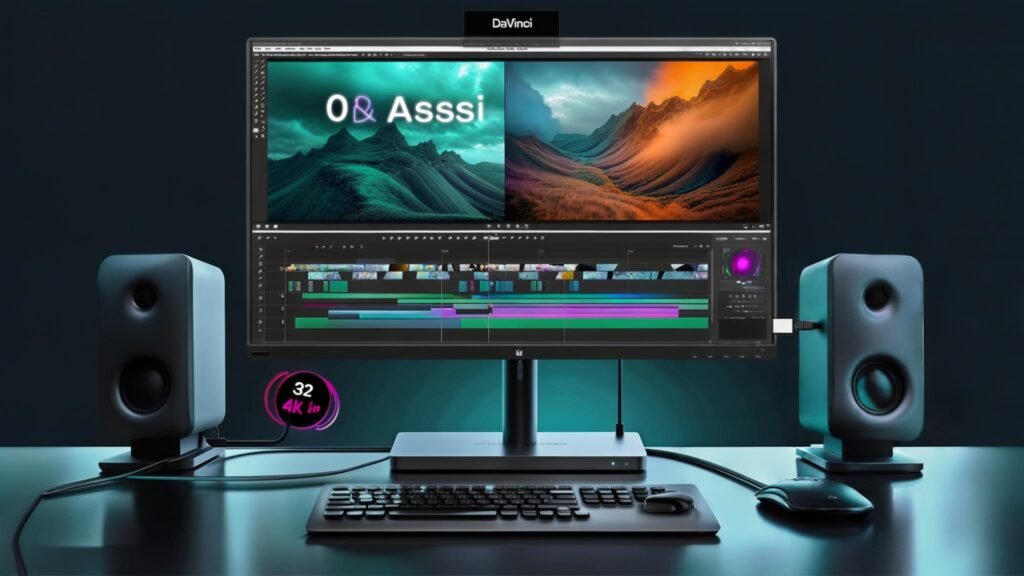
- Real Estate = Flow State: An ultrawide or a 32-inch 4K panel ends the “Alt-Tab” chaos. More space for your timeline means less mental load and faster delivery.
- Resolution is Your Microscope: 4K is no longer a luxury—it’s the baseline. High pixel density allows you to see fine grain, subtle textures, and precise mask edges.
- Color is Your Contract: If your screen isn’t calibrated, those “cinematic” tones might look like jaundice on a client’s phone. You need 95%+ DCI-P3 or 100% sRGB coverage to build trust.


- Real Estate = Flow State: An ultrawide or a 32-inch 4K panel ends the “Alt-Tab” chaos. More space for your timeline means less mental load and faster delivery.
The “Non-Negotiable” Specs
When shopping, ignore the “gaming” fluff and look for these:
- IPS Panels: In-Plane Switching is the industry standard for consistent colors and wide viewing angles.
- Color Gamut: Look for specific percentages (e.g., 99% Adobe RGB).
- USB-C Power Delivery: One cable to charge your laptop and transmit 4K video is the minimalist dream.
The 2026 Shortlist


For those on a tighter budget, the BenQ PD2700U offers a solid 4K experience. Its dual-view functionality allows for simultaneous presentation in different modes, and with factory-calibrated color accuracy, it’s a fantastic option for aspiring editors. Retailing at a more accessible price, this monitor balances performance and affordability.
Another worthy mention is the ASUS ProArt PA32UCX, a monitor designed specifically for content creators. It combines HDR support with a remarkable 3840 x 2160 resolution and offers extensive connectivity, making it an ideal choice for those working with different devices. While its price reflects its top-tier capabilities, the investment pays off in professional settings.
The Dell UltraSharp U2720Q is another excellent pick, renowned for its vibrant color performance and ergonomic design. With USB-C connectivity, it’s a practical choice for modern workflows. Priced slightly lower than high-end models, it still delivers exceptional quality that meets the needs of various editing applications.
Lastly, the Samsung Odyssey G7, known for its impressive refresh rates, is especially beneficial for video editors working on fast-paced content. While more suited for gaming, its vibrant colors and responsive display make it a versatile choice as well.
This range of monitors, from entry-level options to professional-grade displays, ensures that every editor can find a suitable tool that matches their specific requirements and budget.
Tips for Calibrating and Setting Up Your Editing Monitor
The Pro Secret: Calibrate or Waste Money
Even the best monitors “drift” over time. Invest in a colorimeter (like the Datacolor Spyder) and calibrate monthly. It’s the only way to guarantee that what you see is exactly what the world sees.
The Bottom Line: Your audience won’t know what screen you used, but they’ll feel it when the colors are “right.” Stop letting a mediocre display cap your creativity.